CloudsRAID Help
|
CloudsRAID Help
|
Home / Main Index / Task Wizard |
Windows Mail is also called Outlook Express in Windows XP or early Windows versions.
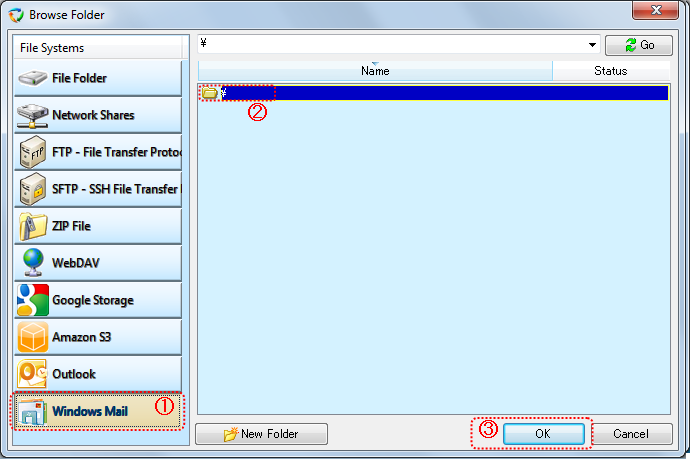
(1). Select "Windows Mail" in the "File System" list.
(2). Select the folder that you want to synchronize with.
Usually select "\".
(3). Click "OK"button to end the dialog box
|
CloudsRAID Help
|
Home / Main Index / Task Wizard |